Article
Desktop Reminders That Nudge You to Log Jira Time — Without Getting in the Way
Reminders help teams log time per Jira issue during the workday — with admin and Team Leader policy, optional enforcement, company branding, and personal control over the floating widget and system tray.
June 25, 2026 · 7 min read
Time tracking only works when people actually log hours against Jira issues. The challenge is balance: reminders should help during the workday without pinging people during evenings, weekends, or lunch — and without turning the desktop app into a distraction.
PTIAS is designed so administrators and Team Leaders set the policy, end users keep personal control where allowed, and the reminder can stay out of sight until it is needed.
Admins and Team Leaders set reminder policy — not noise
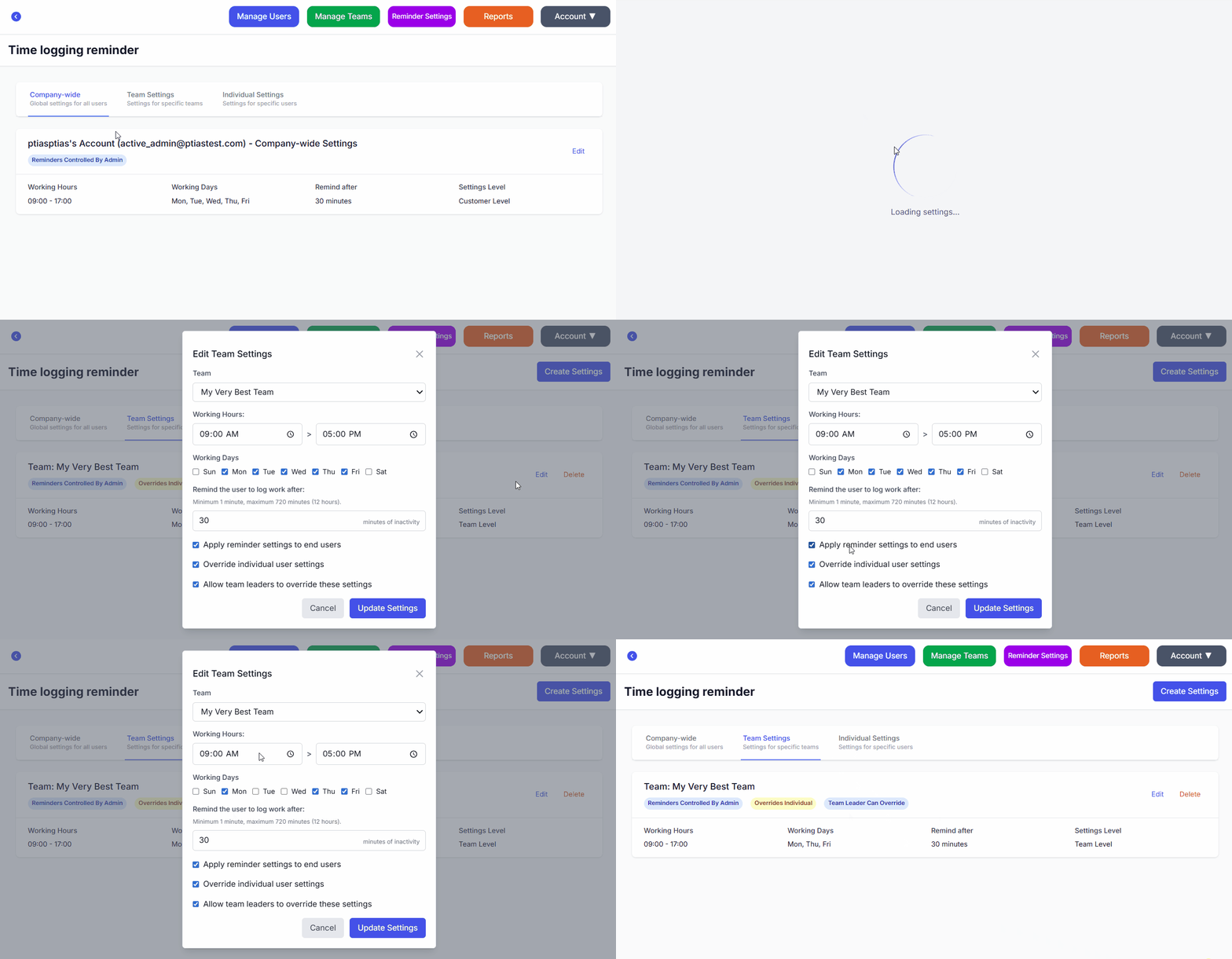
From the web console, administrators define organization-wide reminder settings: working days, working hours, and how often the desktop app should nudge people to log time per Jira issue when they have not recorded work in the allowed window.
Team Leaders can tune settings for their teams where your plan allows — so a distributed organization can respect different schedules without one global rule that fits nobody.
Inactivity and over-logging reminders respect those boundaries. The goal is a gentle prompt to log time on the Jira issue you are working on — during hours when logging is expected — not an alarm clock at midnight.
Enforcement is optional — you can leave reminders to personal preference
Not every organization wants the same level of control. Administrators can enforce reminder ranges so the desktop app keeps values within policy — or they can choose not to enforce those settings and let end users adjust their own Preferences.
Reminders can also be turned off at the organization level when they are not appropriate for your culture or contract model. PTIAS supports both guided compliance and a lighter touch: you decide how much policy to apply.
Company branding on the desktop app and PI Planning board
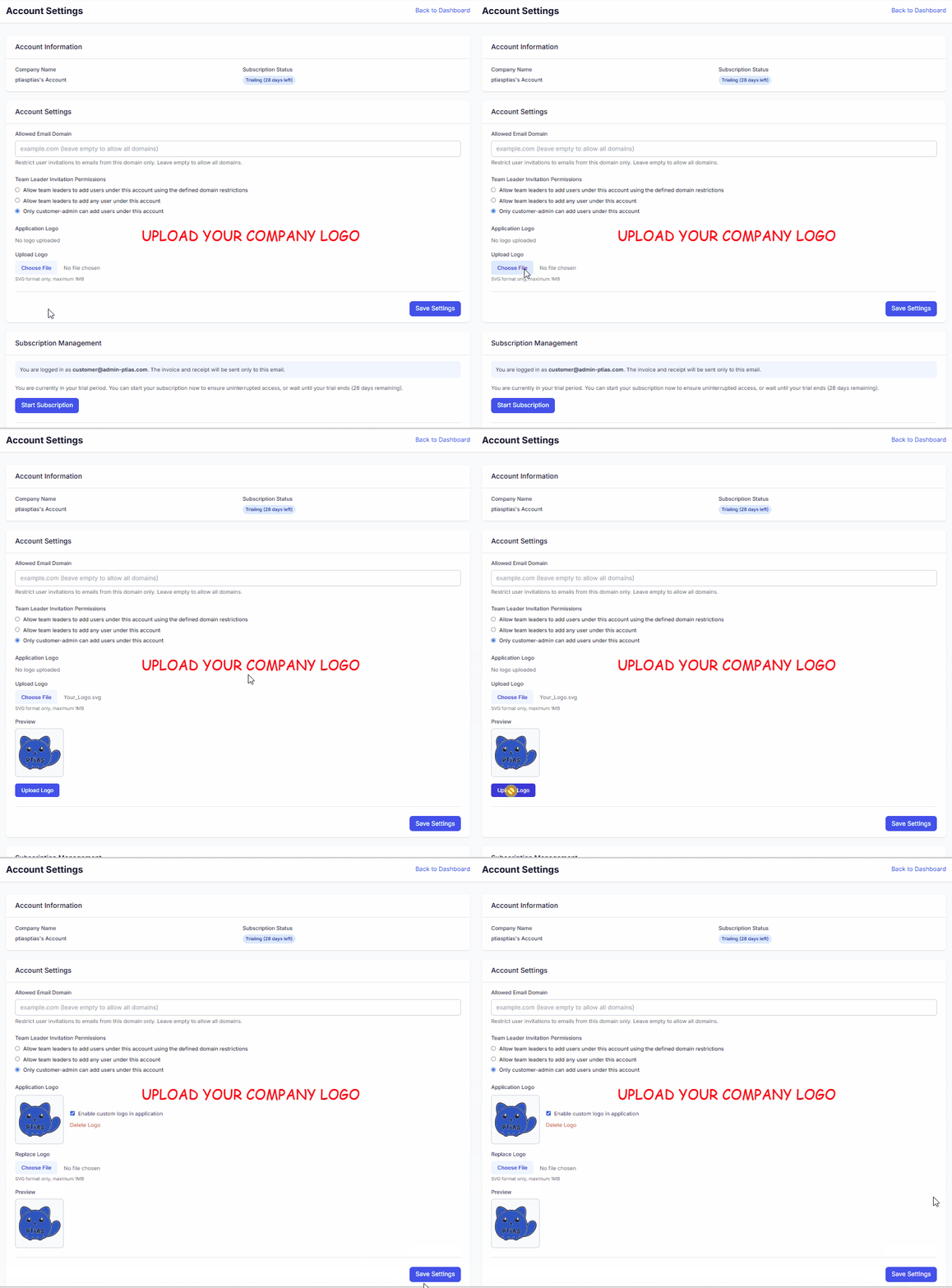
Administrators can upload your company logo so the desktop experience matches your internal tools. When enabled, branding appears in the main application window, on the floating reminder widget, and in the system tray icon.
That is a small detail with a big adoption effect: the app feels like yours, not a generic add-on — while still connecting to your Jira instance through standard OAuth.
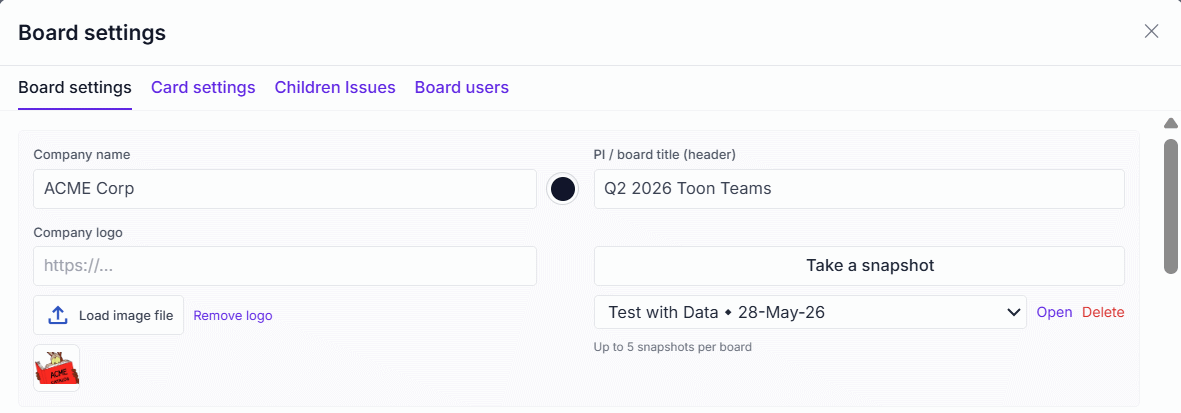
On the PI Planning board, board admins can also choose branding and colors for the planning workspace — so the web board your teams commit on matches your organization, not a generic template.
End users control how the reminder looks and sounds
When policy allows, each person can personalize the floating widget: change its color and opacity so it sits comfortably on screen, resize it with the mouse wheel, and pick the reminder sound — built-in options or a custom file where supported.
Preferences also cover behavior details such as inactivity delay, over-logging delay, and lunch windows, so reminders align with how that individual actually works — within the ranges your admin or Team Leader chose.
Stay in the system tray — the widget does not have to be visible all the time
Closing the main window can minimize PTIAS to the system tray (notification area), so reminders and background behavior continue without keeping a full window open. Open the app again from the tray icon when you need the issue table or worklog view.
You can also rely on the floating widget only when you want an on-screen cue — or park it while the app keeps running quietly. The reminder supports your workflow; it does not have to dominate your desktop.
Reminders that respect people — and still improve Jira time data
The best reminder policy is visible to leaders, respectful of non-working time, and flexible enough for end users to make the widget their own. That is how organizations get more complete Jira worklogs without a revolt against the tool.
Download the PTIAS desktop application to try configurable reminders, optional enforcement, company branding, and personal floating-widget controls on your Jira issues.