Article
Confidence Voting and Snapshots — PI Planning That Does Not End at Commitment
PI Planning does not stop when the vote is done. PTIAS integrates confidence voting on every board and lets you keep several snapshots to follow committed PI progress as Jira moves forward.
June 25, 2026 · 7 min read
A PI Planning event is supposed to end with alignment: teams know what they committed to, leadership has a read on risk, and the board reflects Jira. Too often, that alignment lives in a slide deck while execution diverges the following week.
PTIAS treats commitment as the middle of the journey, not the finish line. Integrated confidence voting closes the planning loop in the room — and board snapshots carry that commitment forward so you can see how the live PI is tracking afterward.
Integrated confidence voting on every PI board
Confidence voting belongs where the plan lives — on the PI Planning board itself, not in a separate survey tool or spreadsheet tally. On PTIAS, every board includes integrated confidence voting so participants can record how confident they are in the plan while they are looking at the same sprints, capacity, and dependencies you just negotiated.
That keeps the conversation honest: the vote is tied to the actual board state, visible to admins and editors in context, and part of the same Jira-integrated workspace where issues move and links update. Democracy in planning, without losing the thread back to real work items.
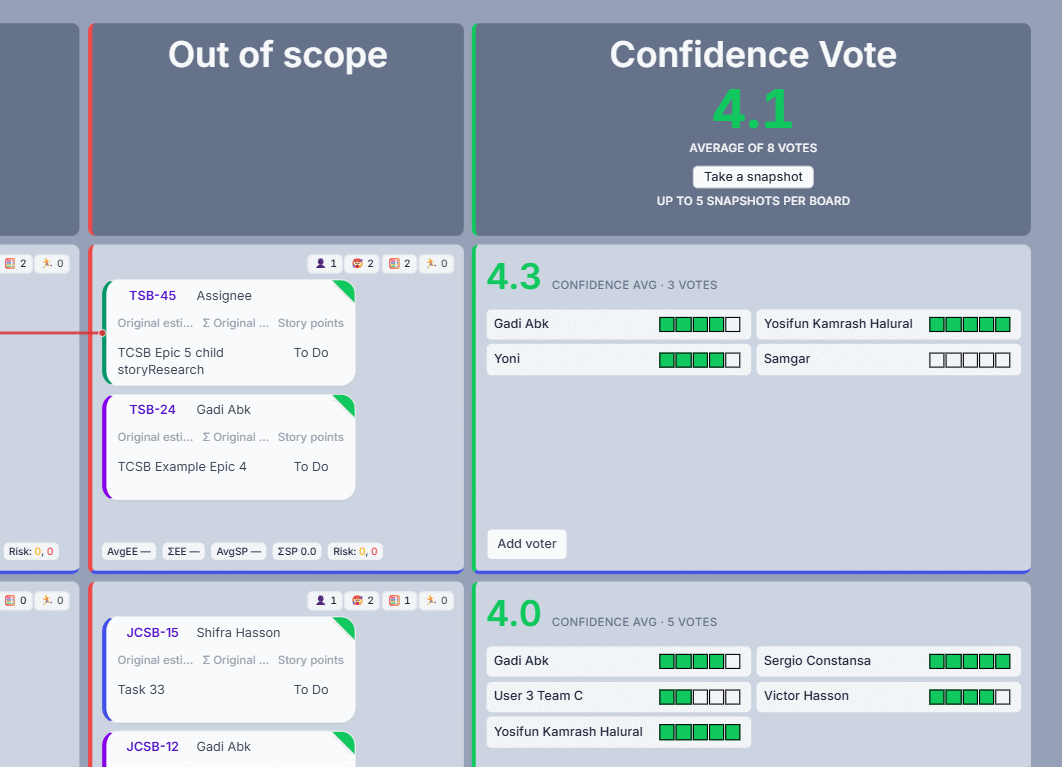
Planning does not end when the vote is done
Commitment day is not archive day. Once confidence is recorded and the PI is locked in, teams still need a shared picture of what was promised — and whether delivery is keeping pace.
The live board continues to sync with Jira as work moves, estimates change, and scope shifts. Snapshots complement that live view: they freeze what the board looked like at a moment that mattered — final plan, mid-PI check-in, or a steering review — so progress is measured against a real baseline, not memory.
Multiple snapshots per board — track committed PI content over time
Each PTIAS PI Planning board can hold several snapshots. Take one when commitments are in place after voting, and take more as the PI unfolds — before a critical milestone, after a major replan, or whenever stakeholders need an apples-to-apples comparison.
A snapshot captures the board layout and planning picture at that point in time, then tracks its own progress against that committed content as Jira issues advance. No more copying the board into slides or rebuilding the plan in another tool to answer a simple question: are we still on track with what we committed to in PI Planning?
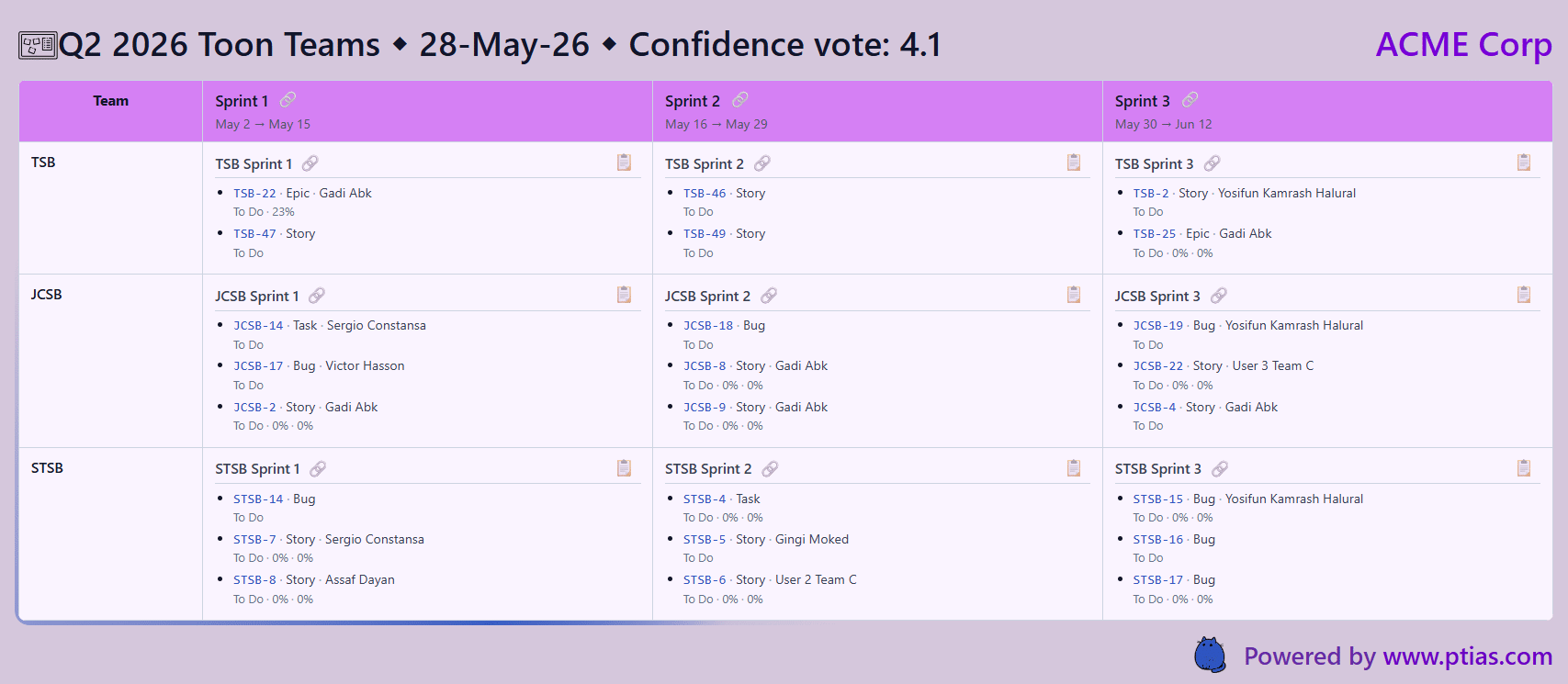
From vote to visibility through the whole PI
Confidence voting gives you a pulse at commitment time. Snapshots give you a timeline after it. Together they turn the PI Planning board from a one-week event into an operating rhythm: align in the room, record confidence where the plan is visible, then follow committed work with snapshots that stay comparable as the PI runs.
Try the PTIAS PI Planning board — run a confidence vote on your next plan, capture a snapshot when commitments are set, and see how live Jira progress compares when the room is long empty.