Article
Why Linked Jira Issues Need to Be Visible — on Your PI Board and in Jira
Dependencies hidden in Jira screens slow PI Planning down. PTIAS shows links on the web PI board — including one-click import of all children — and in the desktop Links Map.
June 25, 2026 · 7 min read
PI Planning and delivery both depend on relationships between Jira issues — blocks, depends on, duplicates, parents and children. When those links are buried in issue panels and separate Jira screens, teams plan in the dark: capacity looks fine, but dependencies tell a different story.
Visibility is not a nice-to-have. It is how you spot sequencing risk, empty epics, and cross-team blockers before they become a PI surprise. The same links must be obvious on your PI Planning board and trustworthy in Jira itself.
Links are planning data, not paperwork
A sprint board shows cards; a PI plan shows commitments across teams and sprints. Neither view is complete without the links that define order, impact, and shared work.
When link visibility is weak, facilitators re-draw dependencies on whiteboards and hope Jira still matches on Monday. When link visibility is strong, the plan you discuss is the graph your organization will execute.
The PTIAS PI Planning board shows links where you plan
On the web-based PTIAS PI Planning board, issue links are part of the planning surface — not a detour into another tool. You can view link relationships, manage common Jira link types, and see how items connect while you place work across sprints and teams.
Link or unlink on the board and Jira updates. Change a link in Jira and the board reflects it. That two-way sync keeps PI Planning honest: the dependency conversation in the room is the same dependency graph in your Jira instance.
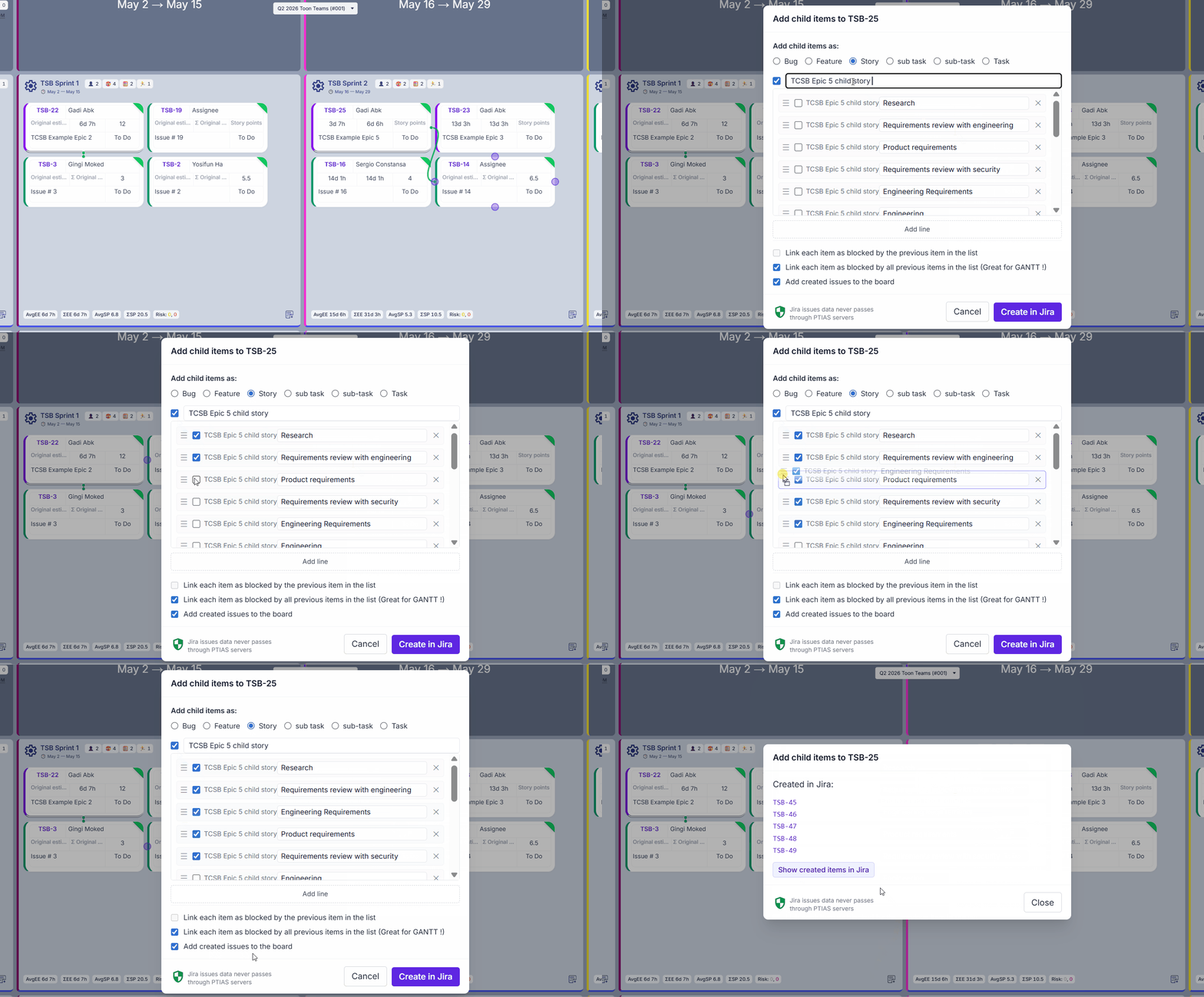
When an epic or feature is already on the board, you do not have to hunt down its breakdown issue by issue. Right-click the item and import all its children to the board in one click — every child issue pulled in together so links and hierarchy are visible where you plan, not only in the desktop app.
You can also create new child Jira issues from the board and, when you choose, add blocking links between those children in creation order — so a feature's breakdown is parented correctly and sequenced for Gantt-style views in Jira without a manual linking marathon afterward.
The desktop app Links Map — connect the dots across your backlog
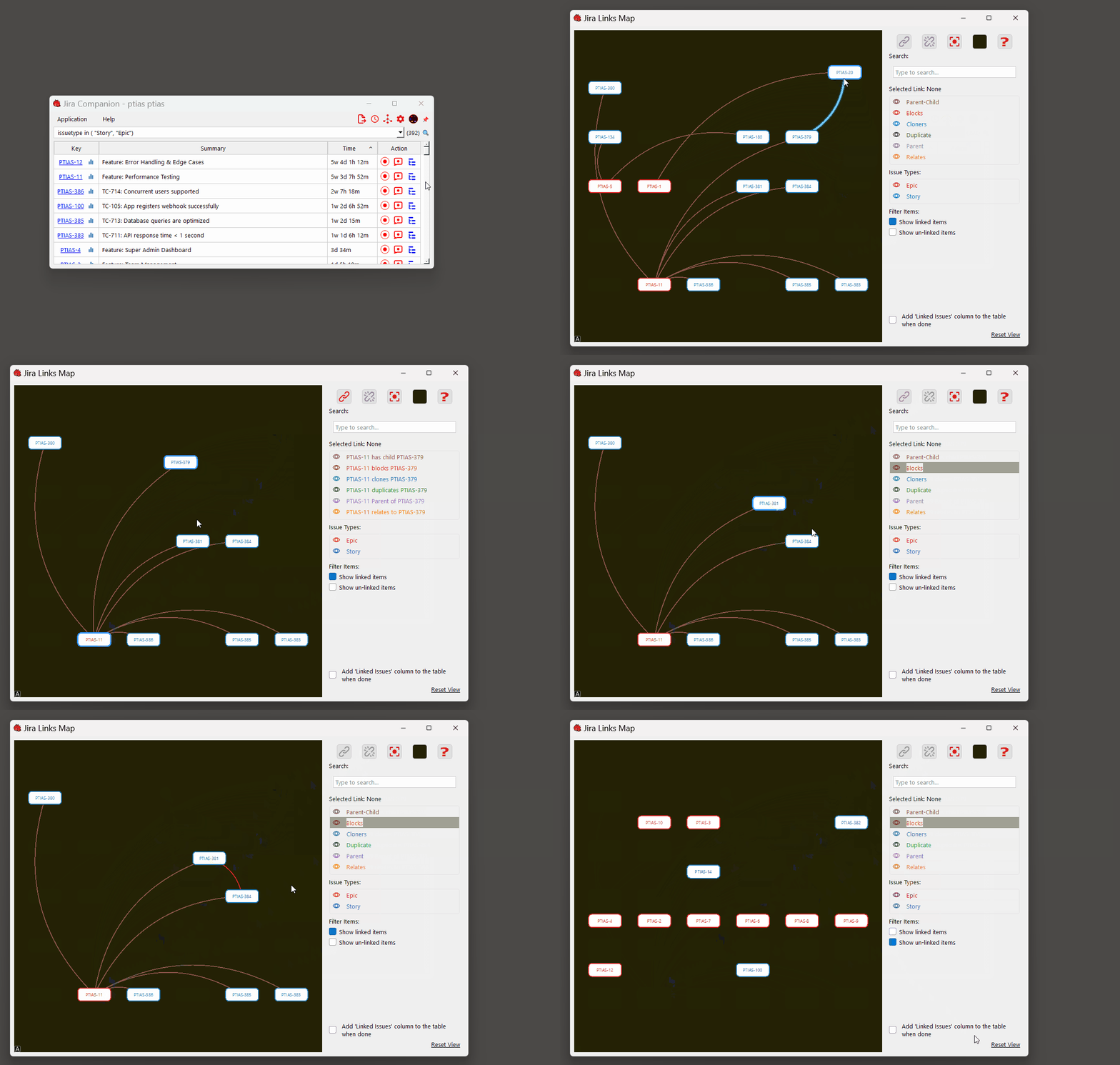
The PTIAS desktop application includes a Links Map: a visual graph of how your Jira issues connect. Pan and zoom across clusters, filter by link type, and focus on one issue's neighborhood to see what it blocks or what blocks it — a deep link view across your backlog, complementing the PI board's sprint-level picture.
Linking and unlinking is deliberate and visual — select issues, pick a link type, link; select an edge, unlink. The same workflow that makes exploration intuitive also makes cleanup fast when plans change.
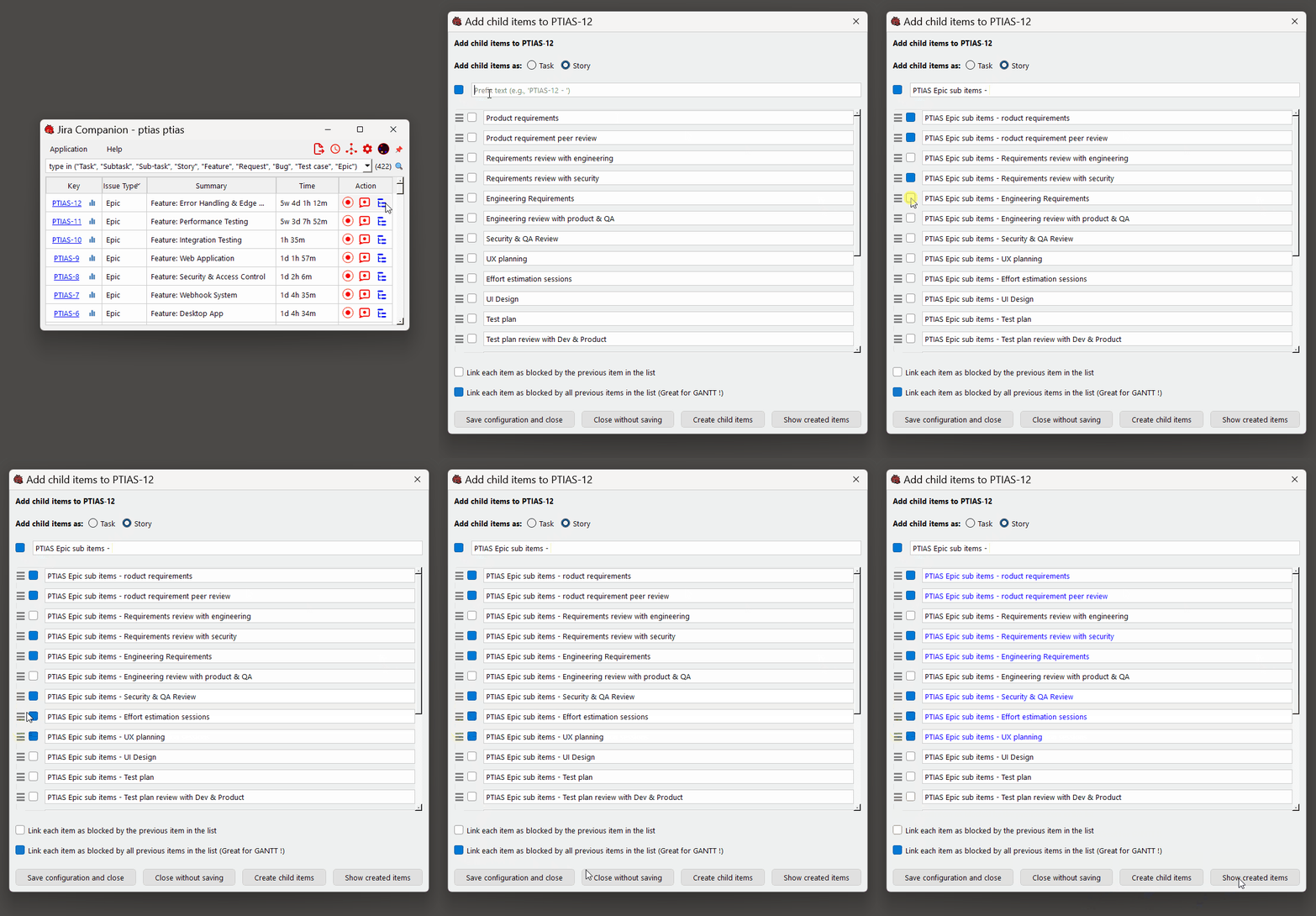
Add child items from the map or main table to spawn new Jira issues under a parent. Optionally chain is blocked by links between the new children so downstream Gantt and timeline views in Jira inherit a sensible dependency line — or leave links off when you only need the hierarchy.
One graph in Jira, two surfaces in PTIAS
PI facilitators live on the board during planning; developers and team leads often live in the desktop app during the week. Both need the same link truth.
PTIAS does not maintain a shadow copy of your issues on a separate database for application use — links and issue relationships flow through Jira's APIs so what you see in PTIAS is what Jira holds. Visibility on the board and in the Links Map reinforces visibility in Jira itself.
From hidden dependencies to Gantt-ready structure
Teams that can see links plan safer PIs. Teams that can create linked children in one flow spend less time fixing structure and more time committing to the right work.
Try the PI Planning board for sprint-scale link visibility during planning, and the desktop app for deep link exploration and child-issue creation — both tied to the same Jira instance, both built to keep linking simple.