Article
Is Jira Really the Right Tool for PI Planning?
Jira can model a PI — but visibility into sprints, teams, and developer capacity is where it falls short. Jira Align adds scale at complexity and cost; PTIAS keeps PI Planning simple and fully integrated with Jira.
June 25, 2026 · 8 min read
Ask a room of agile coaches whether Jira is the right tool for PI Planning and you will get a long pause — then a qualified yes. Jira is where your work lives. It supports the issue types, custom fields, hierarchies, and links you need to represent a Program Increment. On paper, everything required for PI Planning is already there.
The problem is not the data model. The problem is what it feels like to run a PI in Jira day to day: finding sprint load, seeing who is overloaded, managing dependencies across teams, and keeping the plan honest while issues move. That is where Jira often does a poor job — and where teams start bolting on spreadsheets, slides, and side boards just to survive planning week.
Jira has the fields — not the planning experience
Jira can store story points, sprints, epics, features, teams, and link types. You can configure boards, filters, and dashboards until the configuration doc is longer than your PI objectives. None of that automatically gives facilitators a clear picture of each sprint's committed load, each team's capacity, or each developer's assignment across the PI.
Usability for PI Planning is not about whether a field exists. It is about whether a facilitator can answer basic questions in seconds: Which sprint is overcommitted? Which developer is on three teams and already red? Which dependency will block iteration two? In native Jira views, those answers are scattered across screens, buried in issue panels, or rebuilt manually before every planning event.
Teams end up spending the PI Planning meeting on mechanics — reconciling Jira hierarchies, chasing missing estimates, and arguing about numbers nobody can see in one place — instead of on business goals, risks, and trade-offs.
Sprint and capacity visibility is the gap
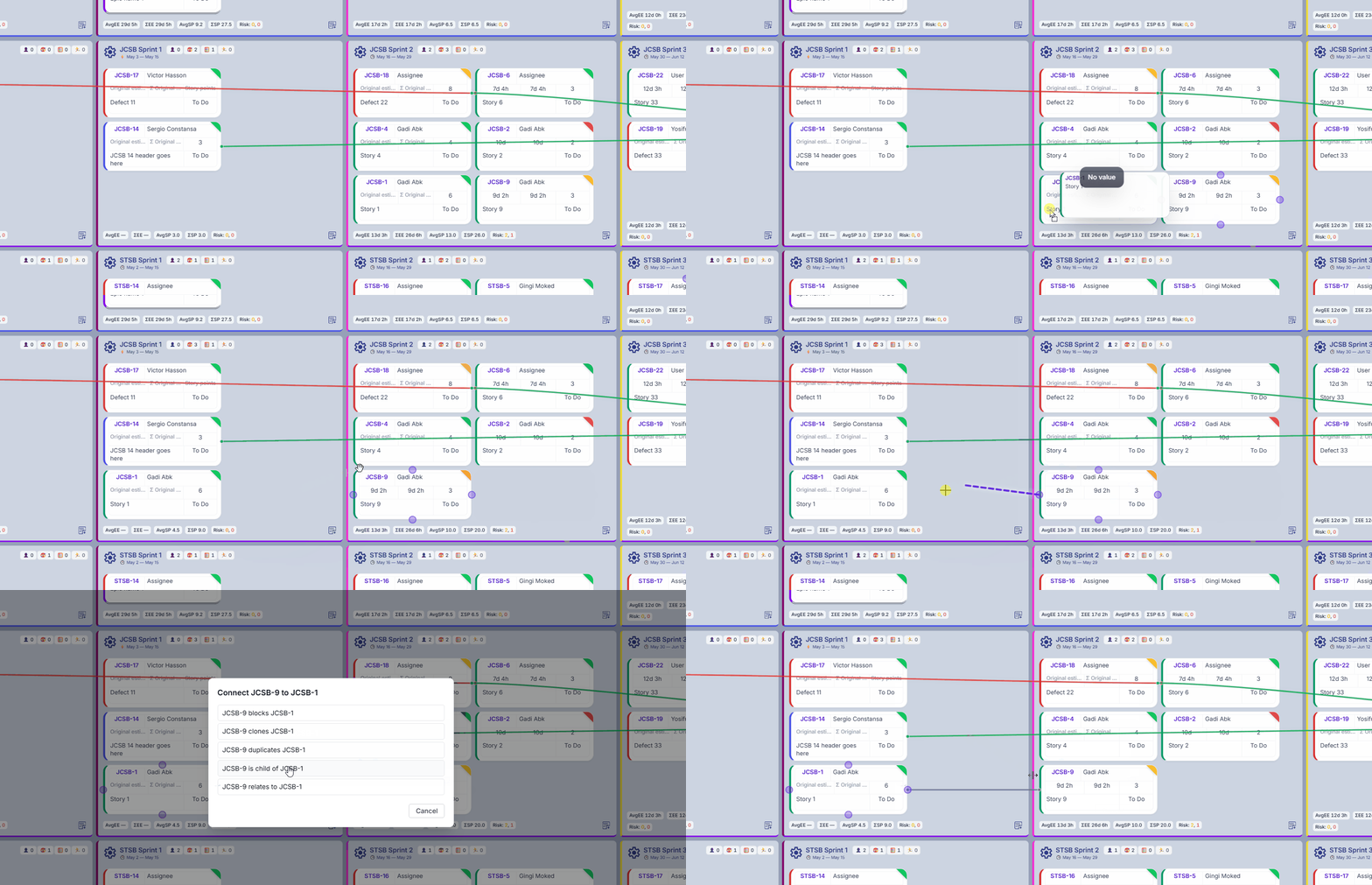
PI Planning lives at the intersection of time, people, and scope. You need to see work distributed across sprints, summarized per team, and rolled up per assignee so overload is obvious before commitment.
Jira's default experience optimizes for individual team boards and issue detail. That is the right shape for daily development. It is the wrong shape for a multi-team, multi-sprint PI where capacity is the planning signal and the board must stay synchronized with Jira as issues move.
When sprint totals and per-person load are not visible where you plan, optimism fills the gap. Plans look feasible until the first week of the PI proves otherwise.
Jira Align can do it — at a different scale of complexity and cost
Atlassian's answer for scaled agile planning is Jira Align. It can connect strategy to execution across portfolios and programs, and it is built for organizations that need enterprise-grade SAFe-style planning at scale.
It is also a significant undertaking. Implementation, administration, and ongoing alignment with Jira take time, expertise, and budget that many teams — especially mid-size product organizations — do not have spare during planning season. Complexity is not free: every extra layer between your facilitators and a clear PI picture is another place the plan can drift from what teams will actually execute.
If your challenge is not portfolio governance at fifty teams but running a focused, honest PI with visible sprint capacity and integrated Jira sync, Jira Align can be more tool than the problem demands — and more expensive than the outcome justifies.
PI Planning in PTIAS is straightforward, simple, and fully integrated with Jira
PTIAS does not ask you to leave Jira or duplicate your backlog on another database. The PI Planning board is built around Jira as the system of record: issues, sprints, assignees, links, and hierarchies flow through live sync so the plan you commit to is the plan in Jira.
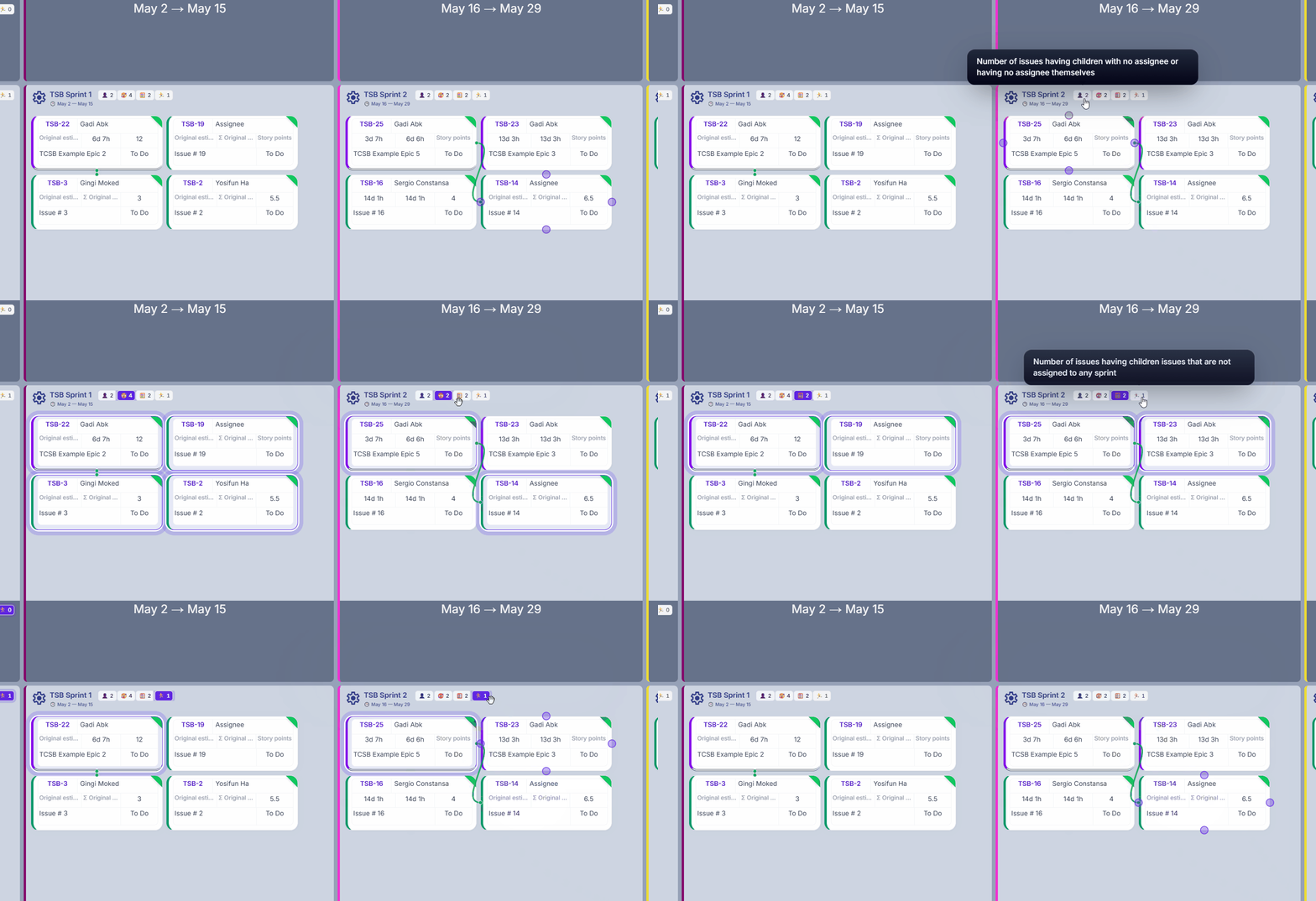
What PTIAS adds is the planning surface Jira lacks — sprint capacity indicators, per-team and per-developer load, overload warnings, dependency visibility, confidence voting, and snapshots — in one integrated view designed for PI facilitators, not Jira administrators.
Move an issue between sprints on the board and Jira updates. Change an assignee in Jira and the board reflects it. Import children, manage links, and see blockers where you plan instead of opening five Jira screens per epic.
Focus on business goals, not Jira mechanics
The goal of PI Planning is alignment on outcomes: what the program will deliver, what risks exist, and what capacity can realistically support. It is not a workshop on issue types, filter queries, or parent-child linking hygiene.
When sprint visibility, team load, and developer capacity are obvious on the board, facilitators stop being Jira mechanics and start being planning leaders. Dependencies surface before commitment. Overload is visible before the vote. The conversation stays on priorities — not on whether the spreadsheet matches Jira.
PTIAS keeps hierarchies, links, and issue relationships visible in the planning context so you do not rebuild structure in a side tool after the room empties. Planning the PI with PTIAS means keeping your focus on business goals while the integration handles the Jira wiring underneath.
The right tool is the one that makes the PI legible
Jira remains the right place for your issues. For many organizations, it is not the right place to run PI Planning on its own — not because the data is missing, but because the mechanics and visibility are hard.
Jira Align serves enterprises that need portfolio-scale governance. PTIAS serves teams that need a clear, Jira-integrated PI board with sprint, team, and capacity indicators without enterprise complexity or cost.
Try the PTIAS PI Planning board on your Jira instance — free trial, no credit card required — and see whether the right question is still "can Jira model a PI?" or "can we finally plan one without fighting the tool?"